System for retro gaming
Batocera.linux
A Linux distribution that turns anything into a retro console — a PC, a Raspberry Pi, or a handheld.
Logo systému Batocera.linux
Batocera is a free Linux distribution focused exclusively on retro gaming. It works as "plug & play": you install it on an SD card or USB drive, boot it up, and you have a ready-made gaming system — with no installation onto your hard drive and no changes to your computer. The experience is handled by the beautiful EmulationStation frontend, with dozens of emulators under the hood. You use the same principles and layout on an old PC, on a Raspberry Pi, and on supported handhelds.
Specs
- Type
- Linux distribution (free, open-source)
- Frontend
- EmulationStation
- Cores
- RetroArch + standalone emulators
- Devices
- PC (x86-64), Raspberry Pi, ARM handhelds
- Installation
- image on SD/USB (doesn't change the internal drive)
- Systems
- 100+ consoles, computers and arcades
- Controllers
- Xbox, PlayStation, 8BitDo, Switch Pro…
What it runs
- SmoothlyAll 8/16-bit, GB/GBA, PS1, home computers
- MostlyN64, Dreamcast, PSP, Saturn (decent PC/RPi5)
- Select titlesPS2, GameCube, Wii, 3DS (only a powerful PC)
What is Batocera.linux
Batocera.linux is a free and open emulation operating system built on a minimalist Linux, whose sole purpose is to turn a computer, mini-PC, single-board computer or handheld into a full-fledged retro gaming console. It is not a classic desktop distribution — Batocera is written to a microSD card, USB flash drive or internal disk, and after startup it boots straight into the EmulationStation gaming interface (or its EmulationStation-DE / ES-DE variants). The user thus sees a graphical menu with game artwork, not a command line or a desktop full of files.
The project's philosophy is the "plug and play" motto — the system is designed to work without any installation and without interfering with the computer's existing operating system. Just write it to a medium, insert it, boot and play. Configuration, games, BIOSes and save states all live on a single partition, so the whole environment is portable: the same card can be moved between different machines and Batocera adapts itself to the available hardware.
Batocera is primarily aimed at retro gaming enthusiasts who want to unify dozens of gaming platforms in one place, from Atari, NES, SNES, Mega Drive and arcade machines all the way to PlayStation, Nintendo 64, Dreamcast or newer systems depending on the hardware's power. The target audience includes both beginners looking for a maintenance-free solution and advanced users who will appreciate the deep configuration options for emulators, shaders and wireless controls.
It is important to understand what Batocera is not: it is neither a game repository nor a source of ROMs. The system provides only the emulators and the interface — the gaming content (ROM files, disc images, BIOSes) must be supplied by the user, ideally from self-created dumps of legally owned cartridges and discs.
History and context
Batocera emerged around 2016 as an offshoot of the older Recalbox project, with which it shares part of its DNA and the basic idea of a "ready-made" emulation system based on EmulationStation. A group of developers split off due to a different vision of the project's direction — Batocera bet on significantly broader hardware support, a faster development cycle and a more open community model. As a result, it eventually became one of the most universal emulation OSes of all.
While many competing solutions were built narrowly around the Raspberry Pi (typically RetroPie), Batocera aimed wider from the start: besides the Raspberry Pi, it supports common x86/x86_64 PCs, a range of ARM single-board computers (Odroid, Orange Pi, Rockchip boards), Chinese handhelds and even some Apple Silicon Macs via virtualization. This hardware diversity remains its main competitive advantage to this day.
The retro emulation market changed fundamentally between 2016 and the mid-2020s. A wave of cheap ARM handhelds appeared (Anbernic, Powkiddy and others), the performance of mini-PCs and single-board computers grew, and the community around RetroArch matured. In this ecosystem Batocera established itself as the "distribution for everything" — a bridge between the DIY scene (Pi, Odroid) and ready-made portable devices.
The project is developed as a non-profit, community initiative with no commercial hardware sales. It is funded by donations and lives off the work of volunteers. This is reflected in its licensing and content policy: Batocera never distributes games or protected BIOSes and emphasizes legal use.
Hardware: what it runs on
Batocera has no single hardware of "its own" — it is an operating system for other people's devices, so it makes sense to talk about the hardware classes it supports. The first and most powerful group are x86_64 PCs and mini-PCs: anything from older laptops through Intel NUCs to gaming rigs with dedicated graphics. Here the CPU (Intel/AMD), the GPU (integrated Intel/AMD, or a dedicated Nvidia/AMD/Intel Arc) and the amount of RAM are decisive. It is precisely x86 builds that can handle even the most demanding emulations.
The second large group are ARM single-board computers (SBCs). The flagship is the Raspberry Pi (models 3, 4 and 5 with the Broadcom BCM27xx SoC series and VideoCore graphics), followed by boards with Rockchip chips (RK3399, RK3568, RK3588) and Amlogic, such as various Odroid (N2/N2+, XU4) and Orange Pi boards. These boards differ in compute power, but in principle they offer a cheap, energy-efficient and quiet solution for emulation up to roughly the PlayStation 1, N64, Dreamcast generation and part of PSP/Saturn.
The third category are ARM handhelds — pocket devices with an integrated display, controller and battery, often with Rockchip or Allwinner chips. For selected models Batocera offers prepared images that already know the display resolution, button mapping and backlight control. Since this is third-party hardware, however, the specifications (SoC, GPU, display size and type, battery capacity, ports, cooling) differ fundamentally from model to model — always verify the specific device and its support on the Batocera compatibility page.
The common denominator across the hardware are the demands on storage (class A1/A2 microSD, USB SSD or an internal NVMe/SATA disk for large libraries and fast loading), cooling (passive on the Pi/handhelds, an active fan on more powerful SBCs and mini-PCs to avoid throttling) and power (a quality power supply with sufficient current — on the Raspberry Pi, undervoltage is a frequent cause of crashes and data corruption).
Software and system architecture
The core of the software suite is the multiplatform EmulationStation frontend (in both the classic ES and the more modern ES-DE versions), which displays the game library, metadata, box art and video previews and serves as a hub between the individual systems and emulators. From the frontend you launch games, change settings and control scraping (downloading metadata). The frontend can be visually customized using themes, of which dozens exist.
Under the hood, the actual emulation is handled primarily by RetroArch — a multi-emulator platform that uses individual emulators in the form of so-called cores (libretro cores), for example Snes9x and bsnes for the SNES, Genesis Plus GX and BlastEm for the Mega Drive, Beetle/Mednafen cores for PCE, PSX (Beetle PSX, or the standalone DuckStation), Mupen64Plus for the N64, or PCSX-ReARMed. RetroArch unifies controls, shaders, save states, rewind and netplay across systems.
Alongside RetroArch, Batocera also integrates a number of standalone emulators that offer better performance or accuracy for a given system: typically PCSX2 (PS2), RPCS3 (PS3), Dolphin (GameCube/Wii), Cemu (Wii U), Citra/melonDS (Nintendo DS/3DS), PPSSPP (PSP), Flycast (Dreamcast/NAOMI), Supermodel (Sega Model 3), ScummVM, DOSBox and others. Batocera also strives to add game engines and ports (e.g. open-source engines for classic titles) and in some cases even the ability to run native PC games.
In terms of updates, Batocera is distributed as a complete image in stable versions (and a parallel beta branch). Updating is typically done either directly from the system menu (an over-the-air upgrade within the same version) or by rewriting the image during a major transition between versions. Configuration, games and save states meanwhile remain preserved on the data partition, provided the user follows the recommended procedure.
Compatibility by platform
The general rule is: the newer and more 3D-demanding the system, the higher the hardware requirements. Practically any computer or SBC with Batocera will smoothly handle the 8-bit and 16-bit eras — Atari 2600/7800, NES, SNES, Sega Master System, Mega Drive/Genesis, Game Boy / GBC / GBA, PC Engine, Neo Geo and most classic arcade sets (MAME/FBNeo). These systems run even on the cheapest devices without compromise, often with room to spare for shaders and rewind.
The mid performance class (a stronger Raspberry Pi, Rockchip RK3399/RK3568, weaker mini-PCs) can usually handle PlayStation 1, Nintendo 64, Sega Saturn (with compromises), Dreamcast and a large part of the PSP well. With the N64 and Saturn the situation is traditionally tricky due to the complexity of emulation — some titles run perfectly, others require tuning or a specific core. Here it pays to experiment with the settings and the choice of emulator.
Demanding systems such as PlayStation 2 (PCSX2), GameCube and Wii (Dolphin), Wii U (Cemu), Nintendo 3DS (Citra) and newer arcade (Sega Model 3 in Supermodel) require a powerful x86 PC with reasonable graphics, or the strongest ARM boards like the RK3588 — and even there it is more a matter of "playable with compromises" than of one hundred percent smoothness across all games. The most demanding platforms such as PlayStation 3 (RPCS3), Xbox or Nintendo Switch fall into the experimental category: they require top-tier x86 builds and for many titles remain problematic or completely unplayable.
The practical recommended approach: before buying or deploying, check the compatibility page and recommendations for the specific hardware on the Batocera website, and for borderline systems expect that playability will vary from game to game. Realistic expectations are the key to satisfaction — no handheld costing a few thousand will smoothly emulate the PS2 across all titles.
Controls and ergonomics
Batocera is built around the gamepad as the primary control element. It supports a wide range of controllers — wired and wireless Xbox (XInput), PlayStation DualShock 4 / DualSense, Nintendo Switch Pro Controller, 8BitDo and many generic USB and Bluetooth pads. On first connection the user goes through button mapping (controller configuration), which is then automatically applied to EmulationStation and to all emulators.
A key element of ergonomics is the so-called Hotkey — usually the Select button (or a dedicated key), which in combination with other buttons allows you to bring up a menu, save/load a state, rewind, change savestate slots or exit a game during play, without the user having to return to the system. This significantly speeds up the workflow and is one of the things that make Batocera feel "console-like".
On handhelds the controls are determined by the physical construction of the device (D-pad, two to four shoulder buttons, analog sticks depending on the model) and Batocera tries to have the buttons pre-mapped for supported models. In desktop use, on the other hand, flexibility is a strong point: you can connect multiple controllers for multiplayer, an arcade panel (joystick + buttons), a keyboard and mouse for computer systems (DOS, ScummVM) or a light gun/spinner for arcade.
For convenience, Batocera also offers management of multiple controller profiles, automatic assignment of player positions (Player 1–4) and the ability to control basic frontend navigation from the keyboard as well. Wireless connection via Bluetooth is integrated — a handheld or mini-PC can thus work entirely without cables, just with paired pads.
Picture, sound and shaders
On the picture side, Batocera relies on RetroArch shaders, which can faithfully mimic the look of period screens. The most popular are CRT shaders (e.g. the crt-royale, crt-guest-advanced, zfast-crt and Lottes family), which simulate the curvature, scanlines, phosphor mask and slight blur typical of old televisions. Thanks to this, pixel-art games look the way their authors once intended — sharp pixels on a modern LCD often look different from what the creators expected.
Alongside CRT effects, shaders are also available for the LCD grid (ideal for the Game Boy and handheld consoles), various smoothing filters (xBRZ, ScaleFX) and integer scaling to preserve the correct aspect ratio and pixel sharpness. The choice can be set globally, per system, or individually for a specific game. The performance cost of shaders varies — heavy CRT shaders require decent graphics, while the "fast" variants run even on weaker devices.
Sound is handled by Batocera through the standard Linux audio stack, and in RetroArch it offers tuning of the latency and synchronization of sound with the picture. For retro systems it is crucial that the sound chip (the Mega Drive's FM synthesis, the Commodore SID, various PSGs) sounds authentic — this is ensured by accurate emulation cores. With HDMI output the sound can be routed to a TV/receiver, or to USB or Bluetooth speakers and headphones.
In terms of output, Batocera supports various resolutions and refresh rates, including options for authenticity enthusiasts, such as output to real CRT screens via suitable hardware (on supported x86 builds with CRT-specific modes and low resolution). For most users, however, HDMI to a modern TV or monitor with a suitable shader is sufficient.
Battery life and power
Because Batocera does not run on a single device, battery life and power consumption differ fundamentally by hardware. On handhelds the decisive factors are the capacity of the integrated battery (typically a few thousand mAh) and above all how demanding the emulated systems are: light 8/16-bit emulation is gentle on the battery and lasts for long hours, whereas demanding 3D systems drive the SoC to full power, heat it up and drain the battery much faster.
On desktop devices (mini-PCs, SBCs) there is no battery to worry about, but rather the power draw from the mains. Single-board computers like the Raspberry Pi are very energy-efficient (single-digit to lower double-digit watts), whereas powerful x86 builds with dedicated graphics ask for noticeably more when emulating the PS2/PS3. With the Raspberry Pi a quality power supply with sufficient current is absolutely essential — undervoltage causes crashes, SD card corruption and seemingly "random" errors.
Power consumption and temperature are closely related. When the SoC does not have sufficient cooling, thermal throttling occurs (reducing frequencies), which manifests as FPS drops and stuttering sound. On more powerful devices it therefore pays to have both a passive heatsink and an active fan; on handhelds the cooling is determined by the construction, and on some models you can control performance/power-saving profiles in Batocera.
Practical recommendation: for mobile use choose lighter systems and possibly limit the display brightness and performance profiles; for desktop use invest in a decent power supply, cooling and fast storage. On portable devices it is good to watch the battery indicator and to expect that emulation is generally more demanding than the native running of games.
Accessories
The most important accessory is quality storage. For microSD it pays to get A1/A2 class cards with good random read/write speed, because they hold both the system and the game library — a slow card means long loading and stuttering. For larger collections and demanding systems (PS2, GameCube) it is advantageous to move to a USB SSD or an internal NVMe/SATA disk, where Batocera can keep the data on a separate partition/disk as well.
The second key category are controllers. Besides the mentioned Xbox, PlayStation and Switch pads, 8BitDo retro-style controllers come in handy (excellent for 2D systems), as do wireless receivers, and for arcade enthusiasts arcade panels with microswitches and joysticks. For multiplayer a USB hub or several Bluetooth pads paired at once is practical.
For desktop use, an HDMI cable will also serve, possibly an audio output to speakers, and for the Raspberry Pi and SBCs a quality case with cooling. For an authentic experience there are various adapters and hardware for output to CRT televisions, and for convenience a remote control or a wireless keyboard with a touchpad for systems that require a mouse/keyboard.
As a supplement, a card reader for safely writing images and for backups comes in handy, a quality power supply matching the given device, and for handhelds a protective case and a power bank. Investment in storage, cooling and power pays off in stability and speed more than anything else.
Step-by-step setup
1) System installation: From the official Batocera website you download the image corresponding to the given hardware (a different one for x86_64, a different one for the Raspberry Pi, a different one for a specific SBC/handheld). The image is written to a microSD or USB using a tool such as balenaEtcher, Raspberry Pi Imager or Rufus. After inserting the medium and starting, Batocera unpacks itself and prepares the data partition on first boot. For a permanent installation to disk, the system can be installed to internal storage from the menu.
2) Controller and network: On first launch you connect a gamepad and go through the button mapping. In the menu you set up Wi-Fi or Ethernet — the network is useful for downloading metadata (scraping), transferring games over a network share and updates. Batocera in fact exposes its game directory as a network share (Samba/SMB), so games can be uploaded from a computer via Explorer or Finder.
3) Games and folders: ROMs and images are copied into the roms directory, where each platform has its own subfolder (e.g. snes, megadrive, psx, n64). It is important to observe the correct file format for the given system. After copying, an update of the game list (refresh / restart) is performed in EmulationStation. Games must come from legal sources — see the section on legality.
4) BIOSes and scraping: Some systems (PS1, PS2, Dreamcast, Saturn, Neo Geo and others) require original BIOS files, which are copied into the bios directory — Batocera has a "Missing BIOS" overview in the menu that shows what is missing and which checksums are expected. BIOSes must be obtained legally from your own hardware. Finally you run the scraper, which downloads box art, descriptions, video previews and metadata, so the library looks professional. With that the system is ready to play.
Models, revisions and variants
Batocera does not exist in hardware "models", but in different builds according to the target platform. For each supported architecture there is a separate image: x86_64, Raspberry Pi (3/4/5 and others), and a whole range of specific images for particular SBCs and handhelds with Rockchip, Allwinner, Amlogic and similar chips. It is essential to download exactly the variant that corresponds to the device — an image for a different chip simply will not boot.
In terms of versioning, the project releases numbered stable versions and simultaneously maintains a beta/development branch, into which the newest emulators and fixes go. Stable versions are recommended for everyday use; the beta is for those who want the freshest cores or support for new hardware, at the cost of possible instability. Between major versions the partition layout or the default frontend occasionally changes, so it is advisable to read the release notes.
The variability also concerns the frontend and themes: although the default is EmulationStation, the appearance can be fundamentally changed by installing other themes and, in some builds, by choosing between classic ES and ES-DE. The sets of bundled emulators also differ — on powerful platforms demanding standalone emulators (PCSX2, RPCS3, Dolphin) are available, on weaker ones you rely mainly on light libretro cores.
For orientation the rule is: always start from the official list of supported hardware on the Batocera website, where for each device it is stated whether and how well it is supported, which image to use and what to watch out for. This is more reliable than relying on "some" image working universally.
Common problems and solutions
The system will not boot or crashes: The most common cause is the wrong image (for different hardware), a faulty or slow SD card and, on the Raspberry Pi, undervoltage due to a weak power supply. The solution is to verify that the correct build was downloaded, rewrite the image with a quality tool, try a different (branded) A1/A2 class card and use a matching power supply. Checking whether the medium was corrupted during writing also helps.
A game will not launch / black screen / no sound: Typically the BIOS is missing (check the Missing BIOS menu and the checksums), an unsuitable emulator/core is chosen for the given title, or the ROM/image format is incorrect. The solution is to add the correct BIOS, switch to a different core in the game's settings (e.g. for the PS1 try Beetle PSX vs. DuckStation), or verify the integrity of the file. For stuttering, a lighter core or turning off demanding shaders helps.
The controller does not work or has swapped buttons: Go through the mapping again in the controllers section, verify whether it is an XInput or DirectInput device, and for Bluetooth pads check the pairing. With multiple controllers check the assignment of player positions. Some generic pads require manual mapping.
Games are not visible after copying: The files must lie in the correct subfolder in the roms directory and have a supported format; afterwards it is necessary to perform an update of the list in EmulationStation (refresh games list or restart). When transferring over the network, verify that the SMB share is set up correctly. For performance problems (throttling), address the cooling, and on handhelds the performance profiles — an overheated SoC lowers the FPS.
Community and where to find help
The main source of truth is the official Batocera wiki and documentation, where you will find installation guides, the list of supported hardware, BIOS requirements, file formats for individual systems and troubleshooting tips. Before you ask the community a question, it pays to go through the wiki first — it covers the vast majority of common situations and is continuously updated.
For live discussion and quick help there is the official Discord server and community forums (including more general emulation communities). There you can address specific hardware, share configurations, report bugs and find people with the same device. The community is generally friendly, but expects the asker to state the exact hardware, Batocera version and a description of the problem — this fundamentally speeds up the help.
A large number of guides, reviews and comparisons can also be found on YouTube and in text blogs focused on retro handhelds and emulation. Beware, however, of the age of the content — the emulation scene evolves quickly and a year-old guide may describe a different menu or different recommended cores. It is always good to verify that a tutorial matches your version of the system.
Because the project is open-source, the source code, bug reports (issues) and development discussions are publicly available on the project's GitHub/GitLab. More advanced users can thus report a reproducible problem, follow the development of new hardware or even contribute. The community nature means that the quality of support grows with how precisely you are able to describe the problem.
Alternatives and comparison
The closest relative is Recalbox, from which Batocera once emerged. Recalbox tends to be perceived as somewhat more "polished" and tightly contained for the user, whereas Batocera offers broader hardware support, faster incorporation of new emulators and more configuration options. For a complete beginner Recalbox may be a touch friendlier; for universality and depth Batocera usually leads.
On the Raspberry Pi the traditional choice is RetroPie, which is very configurable and has a huge community, but is more "tinkerer's" — it builds on Raspbian and requires more manual work. Batocera by comparison is more of an "appliance": you tune less at the system level, you just play more. On the PC there is also Lakka (pure RetroArch as an OS) — minimalist and very light, but without a rich frontend and a broad portfolio of standalone emulators.
For users who want to stay on Windows, complete solutions of the LaunchBox/BigBox type or a manually assembled RetroArch are an alternative. These offer integration with the desktop and a commercial polished frontend, but lose the charm of the "turn it on and play" single-purpose system and require full-fledged Windows maintenance. Batocera, by contrast, is a standalone OS that takes care of nothing else.
Summary: if you want one system for a lot of different hardware (PC, Pi, SBC, handhelds) with minimal maintenance and a broad palette of emulators, Batocera is an excellent choice. If you deal exclusively with the Raspberry Pi and want maximum control, consider RetroPie; if you want an extremely light system, look at Lakka; and if you do not want to leave Windows, reach for a desktop solution.
The legal side and who it is for
Batocera itself is completely legal — it is open-source software that contains no games or protected BIOSes. It only becomes a legal grey-to-black zone based on what you fill the system with. The ethically and legally clean path is to play your own dumps: ROMs and disc images created from games you physically own (cartridges, discs), and BIOSes obtained from your own hardware. Downloading ROMs and BIOSes from the internet is, in most jurisdictions, a copyright violation, even if you "once" owned the game in question.
There are also fully legal sources of content: homebrew games, freeware, demo versions, public-domain titles and modern open-source ports and engines (e.g. open-source reimplementations of classics). For DOS and old PC games, legal distributions are available through stores selling classics. Batocera can thus be used long-term and completely legally even without a single "pirate" file.
Who Batocera is for: retro enthusiasts who want a unified interface for many systems; owners of a Raspberry Pi, mini-PC or SBC looking for a maintenance-free gaming console; people who want to replay the classics of their childhood from their own cartridges; and tinkerers who enjoy tuning shaders, controllers and performance. It also serves excellently for multiplayer on a TV and as a living-room retro "console".
Who it is not for, on the other hand: for someone who expects the effortless launching of the latest AAA games (emulating demanding systems on ordinary hardware will not deliver that), for users unwilling to configure anything on borderline systems, and for those who do not want to deal with the legal acquisition of content. Realistic expectations, quality hardware (storage, cooling, power) and a legal library from your own dumps are the recipe for making Batocera a joy for many years.
More guides
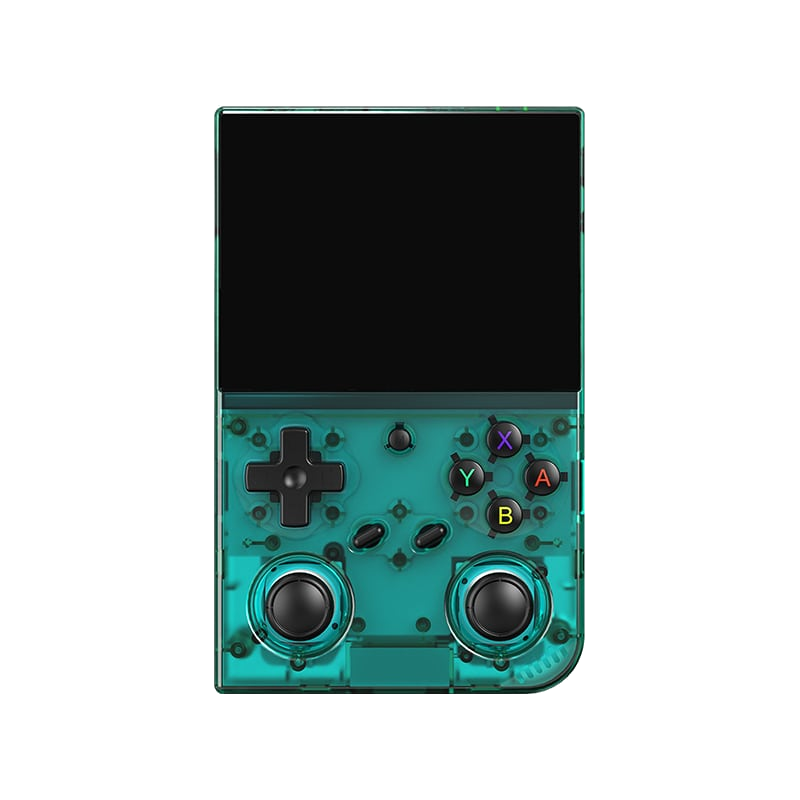
Anbernic RG35XX Pro
A horizontal handheld with the H700 chip — the sweet spot between price and performance.
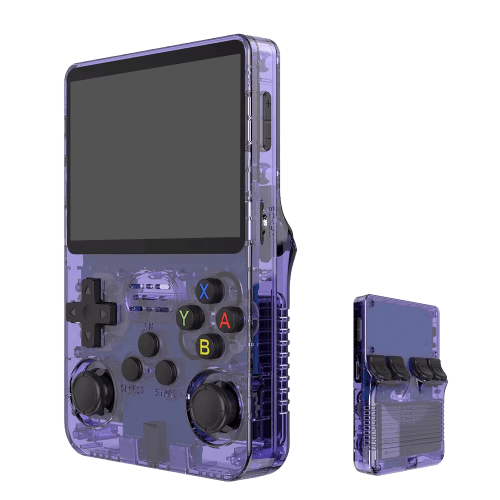
R36S
An affordable clone with a vertical display and an open system.
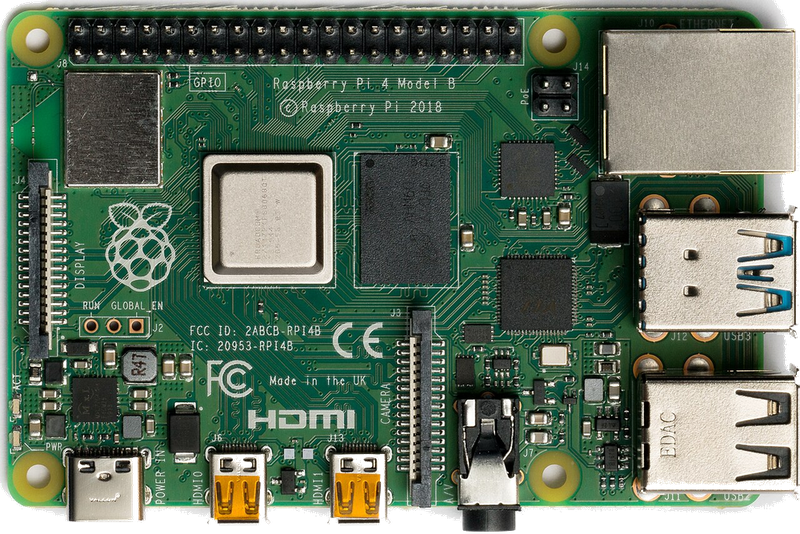
Raspberry Pi & spol.
A cheap box the size of a deck of cards that you can turn into a retro console for your TV.
Android (boxy, TV i telefony)
Phone, TV box or Android TV — download an emulator from the store and play within minutes.
Emulace na PC
The most powerful and flexible path — from 8-bit all the way to PS2, GameCube and 3DS.
iOS (iPhone & iPad)
Since 2024, emulators run on iPhone and iPad too — straight from the App Store.
Emulace na konzolích (PS, Xbox, Switch)
Even a PlayStation, Xbox or Switch can be turned into a retro machine — through their homebrew scene.
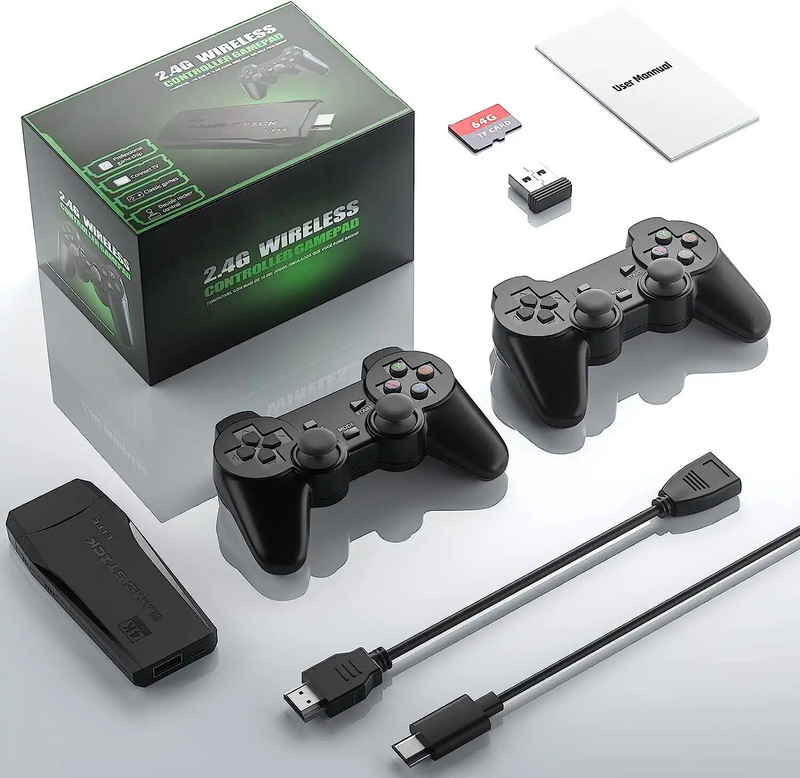
Game Stick (HDMI)
A cheap HDMI "stick" for your TV with a pair of wireless controllers — retro gaming with no setup.
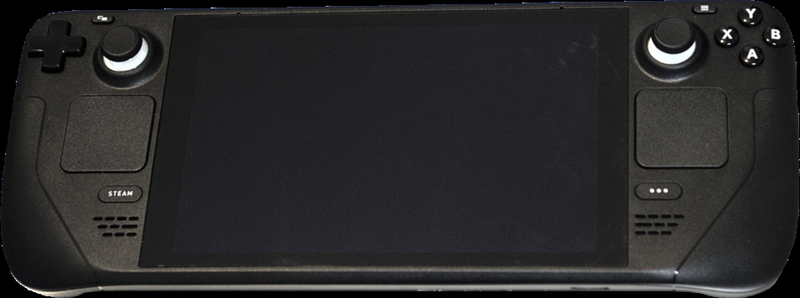
Steam Deck
A pocket gaming PC from Valve — and after a few minutes with EmuDeck, also the most powerful retro handheld you can get.
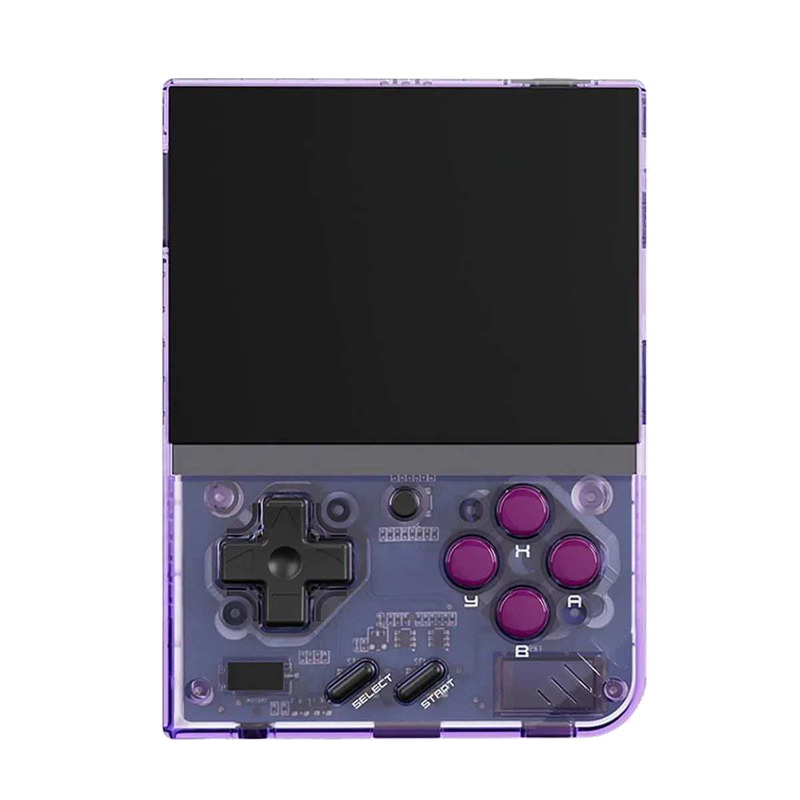
Miyoo Mini Plus
A tiny vertical keychain-sized pocket handheld with an amazing price-to-experience ratio and the community OnionOS.
ROMky: kde se berou hry pro emulátory
What a ROM is, how to obtain one legally, where the law stands, and why game preservation matters.
AYN Odin 2
Výkonný Android handheld ve stylu herního ovladače, ve víc výkonnostních variantách.
Miyoo A30
Vodorovná kapesní konzole ve stylu Game Boy Micro, ideální na NES až PS1 klasiku.
Miyoo Flip
Véčko ve stylu GBA SP s čipem RK3566 – zvládne i Dreamcast, i když ne vždy plynule.
Miyoo Mini V4
Čtvrtá revize levné legendy – stejný slabý čip, ale konečně vydrží baterie i Wi-Fi.
Powkiddy RGB30
Hranatý handheld se čtvercovým displejem a joysticky posazenými nad tlačítky místo vedle nich.
Retroid Pocket 4 Pro
Nejvýkonnější Retroid s AMOLED displejem, který se otáčí i na výšku.
Retroid Pocket 5
Levnější sourozenec Pocket 4 Pro s větším displejem a osvědčeným výkonem.
Retroid Pocket Mini
Kapesní konzole ve skutečně kapesní velikosti pro rychlé retro hraní odkudkoli.
Anbernic RG28XX
Nejmenší člen rodiny s čipem H700, kapesní tvar inspirovaný klasickými herními konzolemi.
Anbernic RG34XX
Sklápěcí tělo v duchu klasických konzolí s neobvyklým 3,4palcovým displejem.
Anbernic RG353M
Vodorovný sourozenec RG353V se stejným T618 čipem a asymetrickými páčkami à la Vita.
Anbernic RG353V
Svislý PDA tvar, duální Android/Linux boot a čip T618 v kapesním balení.
Anbernic RG35XX
Malá krabička, která v roce 2023 nastartovala vlnu levných linuxových retro handheldů.
Anbernic RG35XX H
První RG35XX s pořádnými analogovými páčkami, míří na 3D hry z Nintenda 64 a PSP.
Anbernic RG35XX Plus
Stejná krabička jako RG35XX, jen konečně s Wi-Fi a Bluetooth pro bezdrátové ovladače.
Anbernic RG35XX SP
Sklápěcí tvar jako Game Boy Advance SP – displej schovaný pod krytkou přímo v kapse.
Anbernic RG405M
Kovové tělo, klasické tlačítka bez dotykové obrazovky a čip Unisoc T618.
Anbernic RG405V
Celokovové tělo, čip Unisoc T618 a čistě linuxový systém bez Androidu a kompromisů.
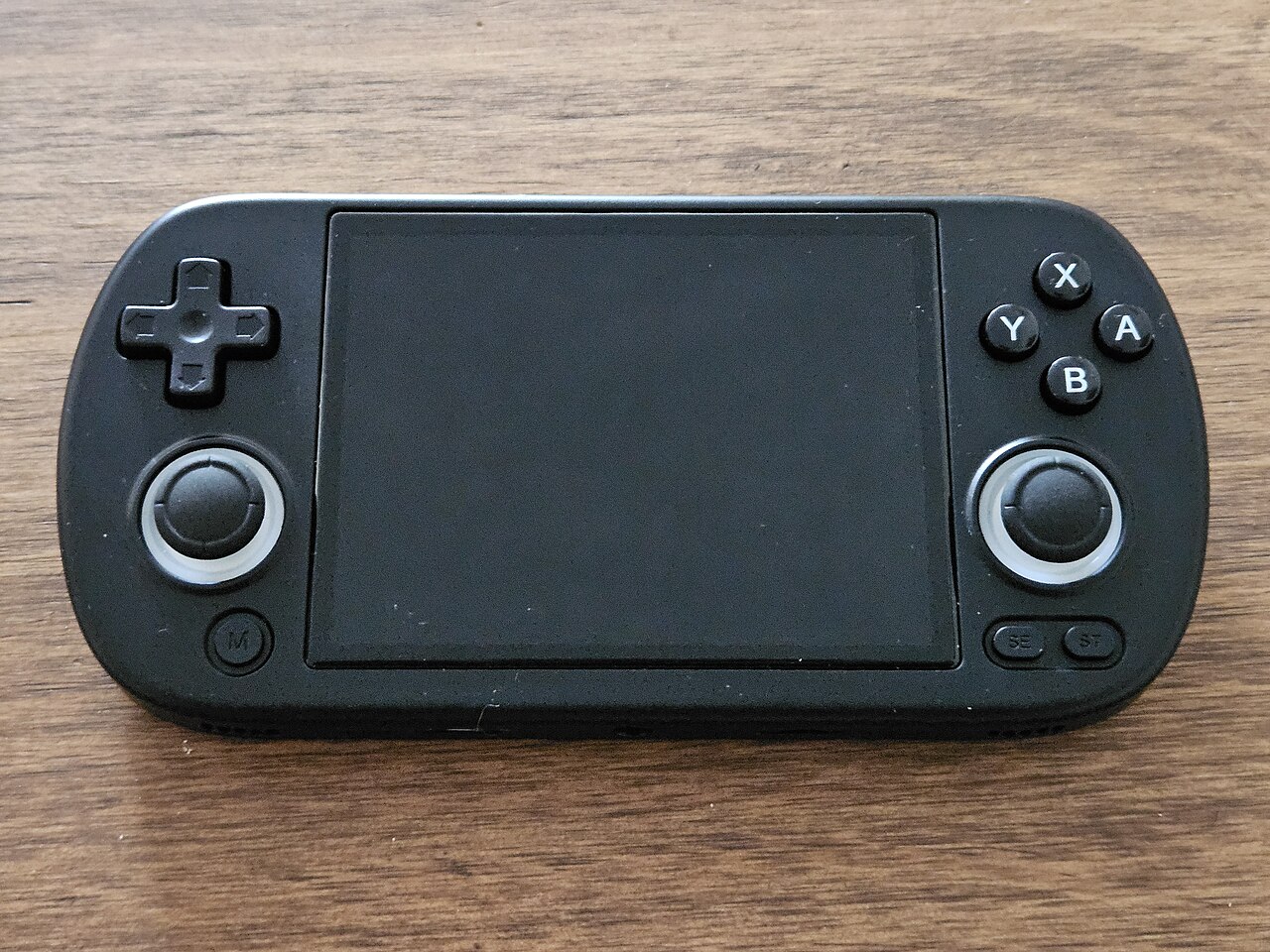
Anbernic RG40XX H
Vodorovná varianta se 4palcovým displejem a čipem H700 pro pohodlnější držení.
Anbernic RG40XX V
Svislá varianta ve tvaru připomínajícím klasický Game Boy, se stejným čipem jako model H.
Anbernic RG503
OLED displej, kovové tělo a čip RK3566 v klasickém tvaru herního ovladače.
Anbernic RG505
Tvar jako PS Vita, ale uvnitř skutečný Qualcomm Snapdragon 865 a AMOLED displej 960×544.
Anbernic RG556
Vlajková loď Anbernic s AMOLED displejem, čipem Unisoc T820 a duálním Android/Linux systémem.
TrimUI Brick
Vertikální handheld ve stylu Game Boye se stejnou elektronikou jako Smart Pro.
TrimUI Smart Pro
Malé tělo, velký 4,96" 16:9 displej a čip sdílený s TrimUI Brick.