Mobile platform
Android (boxy, TV i telefony)
Phone, TV box or Android TV — download an emulator from the store and play within minutes.
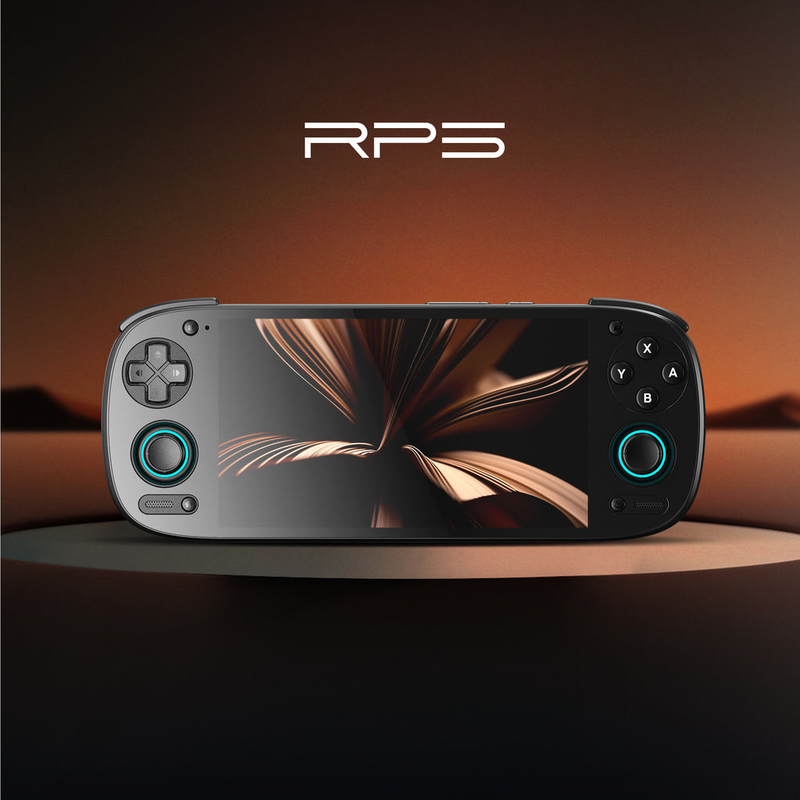
Retroid Pocket 5 — výkonný herní handheld s Androidem
Android is probably the most accessible route to retro gaming — you likely already have a device in your pocket or under your TV. Emulators install like regular apps, you pair a controller over Bluetooth, and you can play on a phone, tablet, cheap TV box or Android TV. Performance ranges from modest boxes to flagship phones that can even handle demanding consoles.
Specs
- Device
- phone, tablet, TV box, Android TV
- Controller
- Bluetooth (8BitDo, Xbox, DualSense) or USB-OTG
- Output
- device screen or TV (box / HDMI / cast)
- Key apps
- RetroArch + standalone emulators
- Performance
- depends on the chip — from PS1 to PS2/GameCube
What it runs
- SmoothlyNES, SNES, Mega Drive, GB/GBA, PS1, PSP
- MostlyNintendo 64, DS, Dreamcast
- Select titlesPS2, GameCube, Wii, 3DS (powerful phones)
What Android is as an emulation platform
When we talk about emulation on Android, we are not talking about a single specific device, but about a whole family of devices united by Google's Android operating system. This includes classic mobile phones, tablets, so-called TV boxes (small boxes connected to a television via HDMI), Android TV / Google TV devices (Nvidia Shield TV, various Mi Boxes, dongles), and in recent years also specialized retro gaming handhelds running Android (for example the Retroid Pocket line, AYN Odin, Anbernic with Android, or gaming phones). The common denominator is that all of these devices run the same emulators from the same Google Play store or from APK packages.
This platform is aimed at an enormously broad audience. On one side stands the absolute beginner who has an older phone in a drawer and wants to play Mario or Sonic on it over the weekend. On the other side is the enthusiast who buys a powerful handheld with a Snapdragon chip, installs a frontend like Daijishō or ES-DE, and builds a portable gaming console capable of emulating even PlayStation 2 or GameCube. And thirdly, there is the living-room user who turns a TV box into a home retro arcade on the big screen, controlled by a wireless gamepad.
The main advantage of Android over specialized Linux systems (such as Batocera or ArkOS on Anbernic devices) is availability and convenience. Most people already own some Android device, installing an emulator is a matter of a few clicks in the store, the system is snappy, it supports modern Bluetooth controllers, Wi-Fi, streaming, YouTube, and ordinary apps. The downside, on the other hand, is greater fragmentation, variable performance between models, and the fact that with cheap unbranded boxes you often get an outdated version of the system and a weak chip.
It is important to mention the legal framework right at the beginning. Emulators themselves are legal software. What is illegal, however, is downloading commercial ROMs and disc images (ISOs) that you do not own. This guide assumes that you dump your games from your own original cartridges and discs or obtain them from legal sources (for example homebrew, freeware titles, official collections). The BIOS files of some consoles are also protected, and you should extract them from your own hardware.
History and market context
Emulation on Android has roots going back to the platform's early years, around 2010 and 2011, when the first versions of emulators such as SNESoid, Gameboid, or GBA.emu by developer Robert Broglia appeared. These apps were for a long time available directly on Google Play. Gradually, however, Google began to take a more cautious stance toward emulators, and some of them disappeared from the official store or moved to standalone distribution via APK and alternative stores such as F-Droid.
A turning point was the arrival of RetroArch on Android. RetroArch is a multiplatform frontend over the Libretro library, which unifies dozens of emulation cores under a single interface. Thanks to it, it was no longer necessary to install a separate app for each console, and a unified ecosystem emerged with support for shaders, netplay, save states, and runahead. In parallel, top-tier standalone emulators also developed, especially Dolphin (GameCube/Wii), PPSSPP (PSP), and later AetherSX2 and its successors for PlayStation 2.
In parallel with software development, hardware also grew. Cheap Chinese TV boxes with Amlogic and Rockchip chips flooded the market around 2015 and gave rise to the phenomenon of home retro consoles under the television. From 2019 and 2020 came a real revolution: specialized Android handhelds such as the Retroid Pocket 2, later the AYN Odin line and the Retroid Pocket 3 and 4, which packed powerful mobile Qualcomm Snapdragon and MediaTek Dimensity chips into a pocket form factor. This made Android a serious alternative to Linux handhelds.
Today Android is the most widespread emulation platform in the world, simply because it runs on billions of phones. The community around it is enormous, the documentation rich, and the pace of emulator development brisk. At the same time it is a changeable platform: Google repeatedly tightens store rules, some emulators disappear and come back, and the quality of cheap boxes fluctuates. That makes it all the more important to know what to look for when choosing.
Hardware: SoC, GPU, and memory
The heart of every Android device is the SoC (System on Chip), which integrates the processor (CPU), graphics (GPU), memory controller, and other circuits. For emulation, both raw performance and so-called single-thread performance of an individual core are decisive, because many emulators (especially of more demanding systems like PS2 or GameCube) depend heavily on the performance of a single thread. Among the most common chips are Qualcomm Snapdragon (the 6xx, 7xx, 8xx series), MediaTek (Helio and the newer Dimensity), and in cheap boxes Amlogic (S905, S922X) and Rockchip (RK3399, RK3588).
For orientation: weaker chips such as the Amlogic S905 or older Snapdragon 4xx handle the 8-bit and 16-bit era without problems, GBA, the first PlayStation, and often even Nintendo 64 or PSP with compromises. The mid-range, for example the Snapdragon 660, 680, or 7xx series, already handles PSP smoothly and PS2 and GameCube in most titles. The top tier such as the Snapdragon 8 Gen 1, 8 Gen 2 or powerful Dimensity chips in gaming handhelds and flagship phones can even run more demanding PS2, GameCube, Wii, and in some cases experimentally even Nintendo Switch through Yuzu- and Ryujinx-based emulators (here too, legally obtaining the games is up to you).
The graphics chip determines how smoothly 3D systems run and how high you can raise the internal resolution (upscaling). On Snapdragons it is the Adreno series, on MediaTek it is Mali or Immortalis, and on some chips PowerVR. For emulating PS2 and GameCube, Adreno is worthwhile, because Qualcomm's graphics drivers are in practice often more compatible with emulators than Mali, where graphical artifacts sometimes appear. Some users therefore install modified drivers on Mali devices (for example the mesa/turnip projects) to improve compatibility.
RAM in an emulation device should ideally be at least 3 to 4 GB, comfortably 6 to 8 GB. More memory helps more demanding emulators, frontends, and background operation, but emulation of 2D systems itself does not need much memory. Handle storage according to your needs: while an entire NES or SNES library takes up single-digit gigabytes, a collection of PS2 or GameCube games in full quality quickly runs into hundreds of gigabytes, which is why a microSD card slot or sufficiently large internal storage is important.
Display, battery, and cooling
On handhelds and phones, the display is key. You will encounter both IPS LCD and OLED panels in various resolutions and aspect ratios. For retro gaming, a 4:3 ratio or one close to it (such as some Retroid Pockets have) is often more advantageous, because most old games were in this format and on a wide 16:9 panel black bars remain on the sides. Conversely, for PSP (16:9) and modern systems a wider panel is more suitable. The panel's resolution affects how nicely shaders and integer scaling look; higher resolution gives a cleaner image, but costs performance and battery.
On TV boxes you do not have to deal with a display; there the decisive factor is the HDMI output and support for the television's resolution, ideally with the ability to set the output to 1080p or 4K and with the correct refresh rate. Some boxes can also output 50 Hz, which players of European (PAL) game versions will appreciate for smoothness.
The battery is essential in portable devices. Capacity usually ranges from 3000 to 6000+ mAh. Endurance depends heavily on the demands of emulation: 2D games and GBA can run for many hours, whereas emulating PS2 or GameCube at full performance significantly raises consumption and endurance can drop to roughly 3 to 5 hours. Support for fast charging (USB-C Power Delivery) and the ability to play while charging are also important.
Demanding emulators load the chip and heat arises. Cheap phones and thin handhelds may overheat and throttle (reduce performance because of temperature), which shows up as a drop in frames. Better gaming devices therefore have active cooling (a fan) or at least good passive heat dissipation with copper plates and heat pipes. If you plan to play very demanding systems, a model with a fan is worthwhile, or at least count on mild heating during long sessions.
Systems and software
On Android there are two main paths to emulation. The first are standalone emulators, where each app covers one or a few consoles: Dolphin (GameCube and Wii), PPSSPP (PSP), DuckStation (PlayStation 1), AetherSX2 and its community continuation (PS2), Citra / forks for 3DS, melonDS (Nintendo DS), Mupen64Plus FZ (N64), Redream (Dreamcast), MAME4droid (arcades), and others. These emulators tend to be tuned for the given console and often offer the best compatibility and configuration options.
The second path is RetroArch, a universal frontend over Libretro cores. Its advantage is a unified interface, shared functions (shaders, save states, runahead to reduce latency, netplay for online play), and a huge breadth of supported systems from Atari to lesser-known consoles. The disadvantage is a steeper learning curve; the menu is extensive and confusing at first. Many experienced players combine both: RetroArch for older and mid-range systems and standalone emulators where they are better (typically Dolphin and PPSSPP).
On top of emulators one often builds frontend launchers, which turn a pile of games into a clear library with images and metadata. On Android, popular ones are especially Daijishō, ES-DE (EmulationStation Desktop Edition), Pegasus, and Beacon. These launchers scan game folders, download covers and screenshots (scraping), and launch them in the assigned emulator. On gaming handhelds such a frontend is usually preinstalled and forms the device's main screen.
A specific category is streaming and remote play. Android devices (especially TV boxes and phones) are excellent clients for Moonlight (streaming from a PC with an Nvidia GPU via Sunshine/GameStream), Steam Link, or cloud services. This allows you to play even modern and demanding games that the device itself could not handle, with the computation happening elsewhere and Android only displaying the image and sending inputs.
Compatibility by platform
The 8-bit and 16-bit era will run smoothly and without worry on practically any current Android: NES, SNES, Sega Master System, Mega Drive / Genesis, PC Engine / TurboGrafx, Game Boy, Game Boy Color, Game Boy Advance, and Neo Geo. This also includes the first PlayStation (PS1) via DuckStation, which runs great even on weaker hardware, and most arcade games in MAME (with the caveat that the most demanding arcade boards require more power).
With mid-range performance (Snapdragon 660 and up, newer MediaTeks) the following open up: PSP (PPSSPP runs excellently and can upscale), Nintendo 64 (compatibility is variable because of the N64's specific graphics, but most popular games run), Dreamcast (Redream is very snappy), and Nintendo DS (melonDS, a dual-screen system via RetroArch). These systems are on the edge: on the cheapest boxes they may have compromises, on a decent handheld they run comfortably.
Demanding 6th-generation consoles, namely PlayStation 2 and GameCube/Wii, require powerful chips (roughly Snapdragon 845 and better, ideally newer-generation 8xx series or strong Dimensity). Even then it is not a hundred-percent miracle: some titles run perfectly, others have frame drops, graphical errors, or require per-game tuning. The GPU and driver quality play a large role. Emulation of the 3DS (Citra and forks) is likewise demanding and compatibility fluctuates.
The most demanding systems, especially the Nintendo Switch (through emulators based on the formerly well-known Yuzu/Ryujinx projects and their continuations), are on Android available only on the absolute top of hardware, and even there it is an experimental, unstable experience requiring you to own the games legally and obtain your own keys and firmware. A realistic expectation is important: for comfortable emulation up to PSP, Dreamcast, and PS1 an ordinary decent phone suffices, but PS2 and above is the domain of powerful devices.
Controls and ergonomics
A classic phone or TV box has no physical gaming controls, so you need an additional solution. On a phone, touch controls work (virtual buttons on the display), but they are uncomfortable for action games and cover the image. Much better is a Bluetooth gamepad (for example 8BitDo, Xbox, DualSense, DualShock 4) or add-on phone controllers that grip the phone between two halves of a controller (Razer Kishi, GameSir, Backbone). These clips combine handheld ergonomics with the phone's performance.
Android handhelds have controls built in directly: a D-pad, two analog sticks, four face buttons, shoulder buttons L1/L2/R1/R2 (better models have analog triggers), and often also buttons for the menu and screenshots. Quality varies from model to model; watch reviews regarding D-pad accuracy (important for 2D games and fighters), stick quality (drift, Hall-effect sensors), and button response.
TV boxes in the living room are controlled by a wireless gamepad connected via Bluetooth or a 2.4 GHz USB dongle. For multiplayer you pair multiple controllers; most emulators and frontends handle multiple inputs at once. Watch out for mapping: each controller needs to be assigned to player 1, 2, and so on, and in RetroArch the ports must be set correctly.
For comfort, correct button mapping and so-called hotkeys (keyboard shortcuts for quick save, load state, fast-forward, return to menu) are essential. In RetroArch a combination with the Select/Hotkey button is usually set; standalone emulators have their own interfaces. It is worth spending a few minutes on the setup so that you do not have to reach for the screen during play.
Image, sound, and shaders
Emulators offer rich options for adjusting the image. The basic choice is the aspect ratio (keep the original 4:3, or stretch it) and the scaling method. Integer scaling enlarges the image in whole-number multiples, so the pixels remain sharp and even without blur. On 3D systems (PSP, PS2, GameCube) you can additionally raise the internal resolution (2x, 3x, 4x), turning originally blurry games into a sharp image in HD or even 4K, if the chip can handle it.
Shaders allow you to imitate the look of old screens. Popular are CRT shaders (for example crt-royale, crt-lottes, crt-guest-advanced), which add scan lines, slight curvature, and the characteristic glow that, for games from the era of bulky televisions, looks authentic and often even better than a bare pixel image. For handheld consoles there are LCD shaders imitating the grid of the original display. Shaders, however, cost performance and on weaker devices may cause frame drops.
On the sound side, it is important to pay attention to low latency and correct synchronization. Most emulators have audio buffer options; too small a buffer causes crackling, too large a one causes delay. Some systems (especially PS1 and PS2) have specifics in the emulation of the sound chip, so if you hear errors, it is worth trying a different core or setting.
An important topic is input latency. RetroArch offers a runahead function, which internally precomputes frames and noticeably reduces the delay between pressing a button and the reaction on screen, so the game feels more responsive than on the original hardware. The function is more demanding on performance, but on 2D systems even an average device can handle it. Combined with a low-latency display and a quality controller, you get a very pleasant and precise gaming feel.
Setup step by step
Start by installing the emulator. On a common phone or TV box you download RetroArch and/or standalone emulators (Dolphin, PPSSPP, DuckStation) from Google Play or from official APKs. In RetroArch, after installation you download the necessary cores via the menu Online Updater → Core Downloader. On gaming handhelds with a preinstalled frontend everything is usually ready, you just add the games. Always prefer official sources so that you do not download a modified malicious package.
Next, copy the games to the device. Create a clear folder structure, ideally separated by system (for example /Roms/SNES, /Roms/PSX, /Roms/PSP). You transfer the files via a USB cable from a computer, via a microSD card, or over the network. A reminder about the legal side: games should come from your own originals (dumps of cartridges and discs) or from legal sources such as homebrew and freeware. Store PS1/PS2 discs ideally in compressed formats (CHD), which save space.
Some consoles require BIOS files to work correctly, especially PlayStation 1 and 2, Sega Saturn, Sega CD, or PSP (optionally). The BIOS is protected and you should extract it from your own console. The files are placed in a designated folder (in RetroArch typically in the system folder, in standalone emulators in their own path) and must have the exact name and checksum, otherwise the emulator will not accept them.
Finally, set up the frontend and scraping. If you use Daijishō or ES-DE, you add the paths to the game folders, assign an emulator to each system (for example SNES → RetroArch core snes9x, PSP → PPSSPP), and run scraping, which automatically downloads covers, screenshots, and descriptions. The result is a visually pleasant library. Fine-tune the controller (mapping, hotkeys), set the default aspect ratio and shaders, and the device is ready to play.
Models, revisions, and variants
The category of Android devices is very diverse. Among TV boxes are cheap unbranded boxes with Amlogic and Rockchip chips (often with preinstalled Android TV or its clone), premium devices such as the Nvidia Shield TV (a strong Tegra chip, excellent for both emulation and streaming), or various Mi Boxes and dongles. With cheap boxes, beware that sellers sometimes list inflated specifications and ship an outdated version of the system.
Android gaming handhelds have been booming in recent years. Popular is the Retroid Pocket line (models 2, 2+, 3, 3+, 4, 4 Pro, mini, Flip), which offer a good price-to-performance ratio and a wide range of chips from mid-range to powerful Dimensity. The AYN Odin (Odin, Odin 2) targets higher performance with Snapdragons. Anbernic also has its Android models, and other brands are appearing. These handhelds differ in display size, aspect ratio, control quality, and whether they have active cooling.
The third group is ordinary phones and tablets as well as gaming phones (for example lines with active cooling and flagship chips). An older, retired phone is a great cheap path into emulation, especially combined with a phone controller. A flagship phone with the newest Snapdragon is among the most powerful emulation devices of all, it just lacks physical controls.
When choosing, watch the Android version (a newer one is better for support and drivers), the type and generation of the chip (and especially the GPU), RAM capacity, display quality, and on handhelds the ergonomics and cooling. With boxes and handhelds it is worth reading community reviews and observing how a specific model behaves on demanding systems, because paper specifications do not tell the whole story, especially about the quality of graphics drivers.
Common problems and solutions
The most common problem is frame drops and stuttering on demanding systems. The cause is usually a weak chip, overheating (throttling), too high upscaling, or a demanding shader. The solution is to lower the internal resolution, turn off or simplify the shader, enable/disable frameskip depending on the situation, ensure cooling, and in RetroArch try a different core or video driver setting (for example switch between Vulkan and OpenGL/GLES).
The second typical trouble is graphical artifacts on PS2 and GameCube, mainly on devices with a Mali GPU. It helps to switch the graphics interface (Vulkan vs OpenGL), adjust hardware rendering, or, on devices that allow it, install alternative graphics drivers (turnip/mesa). For specific games it is worth searching for recommended settings in community compatibility databases.
A very common error is non-functional BIOS files: the emulator does not launch the game or reports a missing BIOS. Check the exact file name, its checksum, and the correct target folder. For PS1/PS2 and Saturn the BIOS is necessary; for other systems optional. Similarly, problems appear with game formats (an incorrectly packed file, an unsupported extension) or with file names containing unexpected characters.
On TV boxes there tend to be problems with sound over HDMI, an incorrect refresh rate or overscan (the image overflows off the screen), and with cheap boxes with system instability. It helps to set the output manually to a specific resolution and frequency, turn off overscan in the television settings, and with problematic boxes consider cleaner firmware. In general: before you declare something non-functional, go through community guides, because most troubles have a known solution.
Community and where to find help
Android emulation has one of the most active communities of all. Great sources are subreddits such as r/EmulationOnAndroid (focused directly on the topic), r/emulation, r/RetroidPocket, r/SBCGaming (for handhelds in general), and r/AndroidGaming. Here you will find guides, device comparisons, problem solutions, and fresh news about new emulators and models.
For specific emulators there are official websites and wikis: Dolphin has an extensive game compatibility database, PPSSPP and DuckStation have their own forums and documentation, RetroArch has detailed (albeit extensive) documentation for cores and functions. These sources are the most reliable for recommended per-game and per-system settings.
Also very useful are YouTube channels devoted to retro handhelds and Android emulation, which test new devices, show real performance in individual systems, and walk through setup step by step. A visual demonstration of a specific chip's performance in a specific game often says more than dry numbers. There are also Discord servers for communities around handheld brands (Retroid, AYN) and around individual emulators, where you get quick help.
When looking for help it pays to be specific: state the exact device model, chip, system version, emulator version, the specific game, and a description of the problem. The community can then advise very quickly, because most combinations have already been tried by someone. And do not forget to contribute back: sharing working settings helps others.
Alternatives and comparison
The main alternative to Android are specialized Linux systems on handhelds, especially Batocera, ROCKNIX (formerly JELOS), ArkOS, and muOS, which typically run on Anbernic, Powkiddy, and similar devices. Their advantage is that they are built directly for emulation, boot quickly into the gaming interface, contain no bloat, and often have very well-tuned compatibility on the given hardware. The disadvantage is less versatility: you do not have a full-fledged app store, streaming services, and ordinary apps as on Android.
Compared to a PC (Windows/Linux), Android is significantly cheaper and more portable, but even the most powerful mobile chip lags behind a gaming computer, which today can handle even the most demanding systems and high upscales without compromise. A PC is therefore the choice for maximum performance and compatibility, while Android wins on mobility, price, and convenience.
Against original consoles and clones (for example official mini consoles or FPGA solutions like MiSTer and Analogue), Android has the upper hand in the breadth of supported systems and in one box for everything. FPGA solutions offer the most accurate, hardware-faithful emulation with minimal latency, but they are expensive and limited to specific systems. For most players, software emulation on Android is more than sufficient.
Within Android itself, the biggest competitor is streaming and cloud gaming: if you have a powerful PC or a cloud service subscription, you can play even modern games through Moonlight or the cloud that no mobile device could handle on its own. Many users combine both paths: local emulation of retro games and streaming for modern titles.
Who it suits and who it does not
Android as an emulation platform suits everyone who wants to start quickly, cheaply, and without much technical training. If you already have a phone or tablet, you can try out emulation within a few minutes and find out whether retro gaming appeals to you, without spending a single extra penny. For playing at the television, a TV box (especially the Nvidia Shield) is an elegant path to a home retro arcade and at the same time a multimedia center. And for mobile players, Android handhelds are a great compromise between performance, versatility, and convenience.
The platform is also ideal for those who want one device for everything: emulation, streaming, multimedia, apps, and everyday use. Thanks to the rich ecosystem of frontends and emulators, you can build a really pleasant library with images, save states, and shaders. For multiplayer, it is enough to pair more controllers and connect the device to a television.
Android suits less well the purists who want maximum performance and hundred-percent compatibility even on the most demanding systems (PS2, GameCube, Switch) without tuning and compromises; there a powerful PC is the better choice. It is also not suitable for those who want an absolutely minimalist, instantly booting gaming system without any bloat, because a specialized Linux handheld serves better there. And beware of the cheapest unbranded boxes, which can disappoint with a weak chip, bad drivers, and an outdated system.
In conclusion: Android is the most versatile and accessible gateway into the world of emulation. With realistic expectations (comfortably up to PSP, Dreamcast, and PS1 even on ordinary hardware, more demanding systems on powerful devices) and while maintaining a legal approach to games (your own dumps and legal sources), it offers enormous fun for little money. The key to satisfaction is to choose a device according to which systems you want to play, and to devote a moment to the basic setup of controls, BIOSes, and the frontend.
More guides
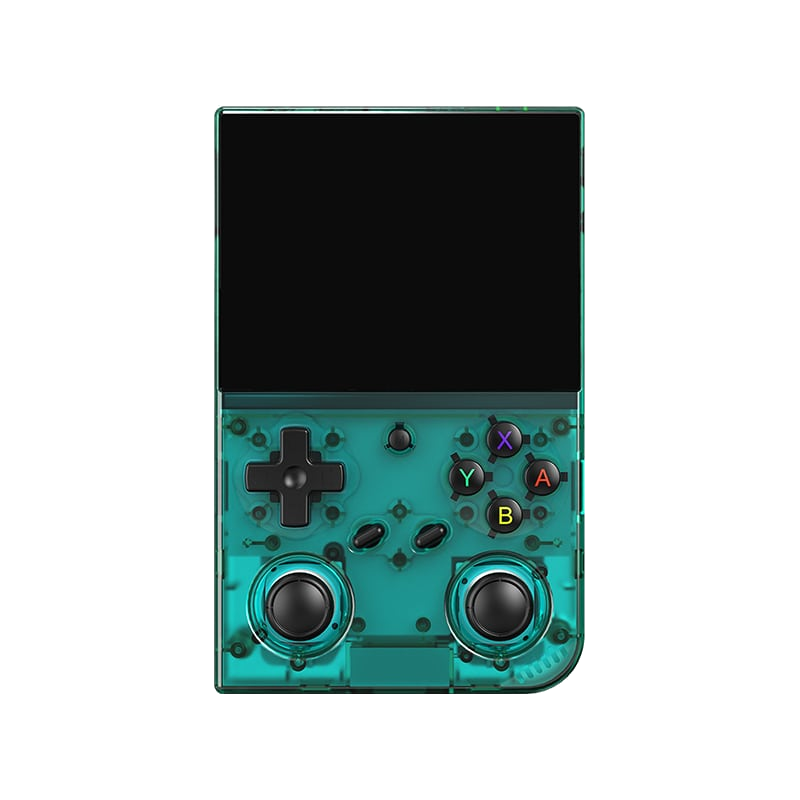
Anbernic RG35XX Pro
A horizontal handheld with the H700 chip — the sweet spot between price and performance.
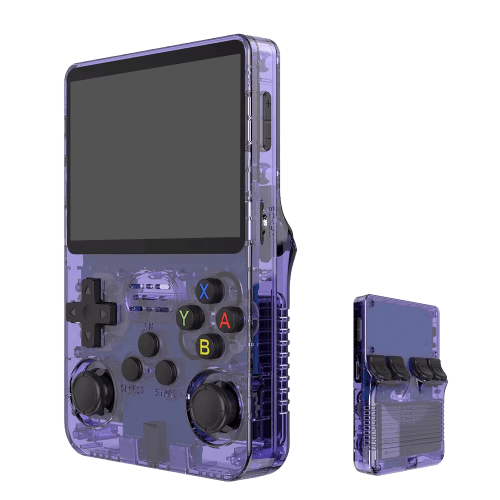
R36S
An affordable clone with a vertical display and an open system.

Batocera.linux
A Linux distribution that turns anything into a retro console — a PC, a Raspberry Pi, or a handheld.
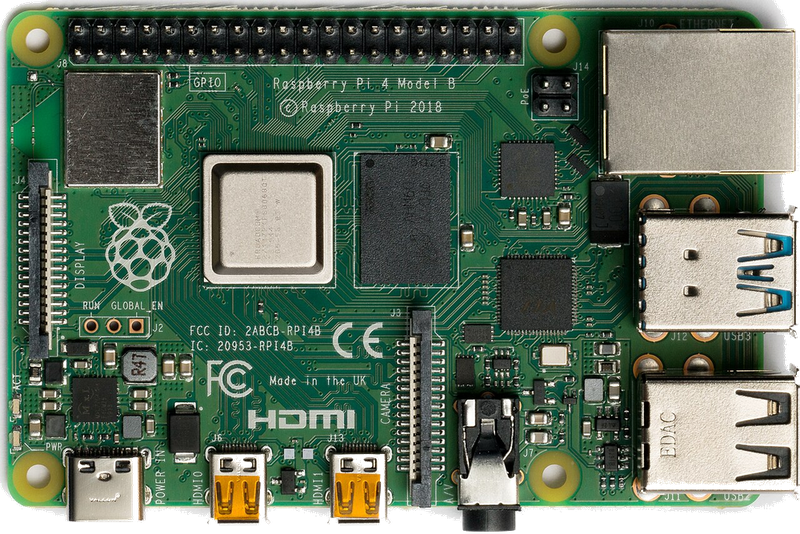
Raspberry Pi & spol.
A cheap box the size of a deck of cards that you can turn into a retro console for your TV.
Emulace na PC
The most powerful and flexible path — from 8-bit all the way to PS2, GameCube and 3DS.
iOS (iPhone & iPad)
Since 2024, emulators run on iPhone and iPad too — straight from the App Store.
Emulace na konzolích (PS, Xbox, Switch)
Even a PlayStation, Xbox or Switch can be turned into a retro machine — through their homebrew scene.
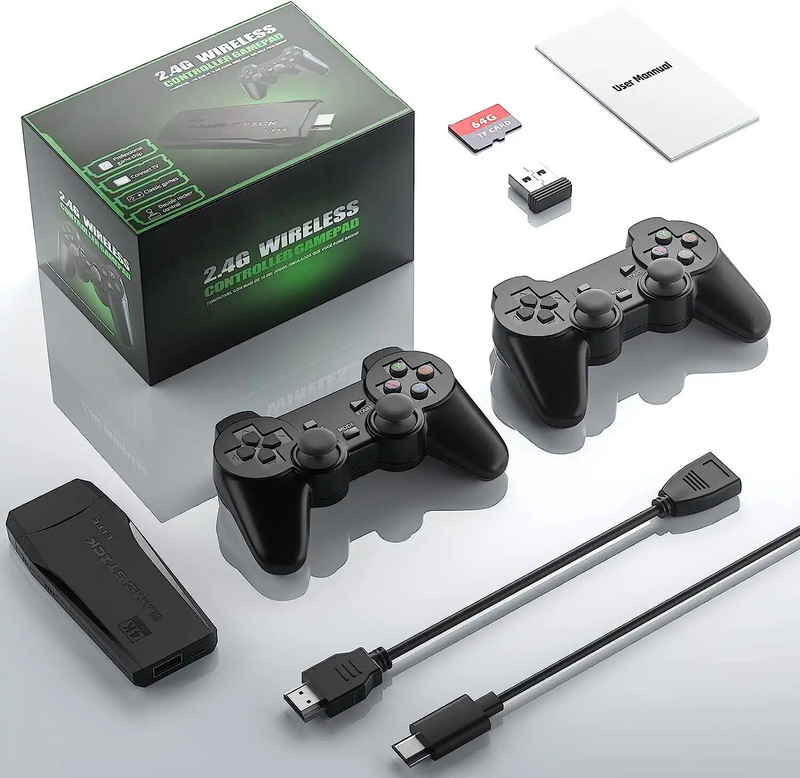
Game Stick (HDMI)
A cheap HDMI "stick" for your TV with a pair of wireless controllers — retro gaming with no setup.
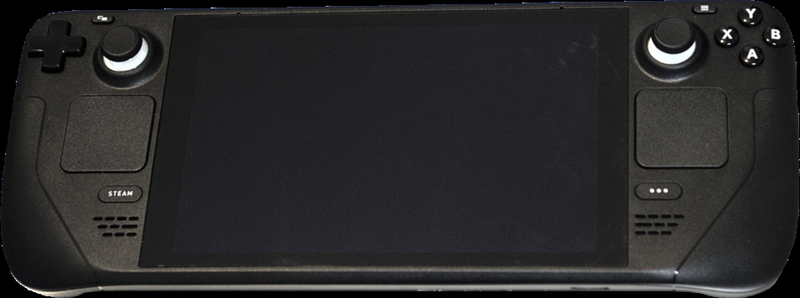
Steam Deck
A pocket gaming PC from Valve — and after a few minutes with EmuDeck, also the most powerful retro handheld you can get.
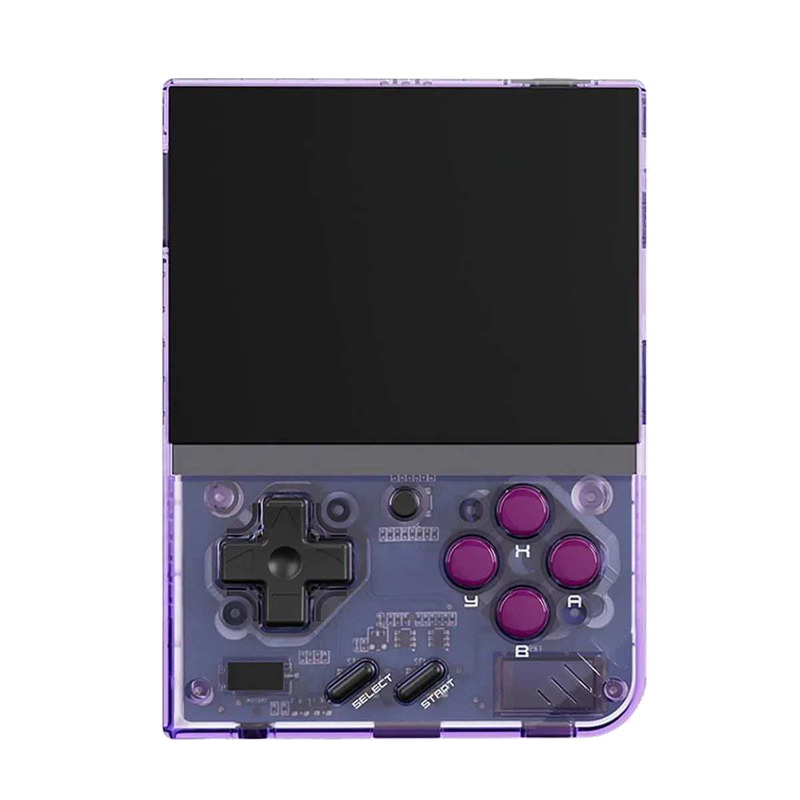
Miyoo Mini Plus
A tiny vertical keychain-sized pocket handheld with an amazing price-to-experience ratio and the community OnionOS.
ROMky: kde se berou hry pro emulátory
What a ROM is, how to obtain one legally, where the law stands, and why game preservation matters.
AYN Odin 2
Výkonný Android handheld ve stylu herního ovladače, ve víc výkonnostních variantách.
Miyoo A30
Vodorovná kapesní konzole ve stylu Game Boy Micro, ideální na NES až PS1 klasiku.
Miyoo Flip
Véčko ve stylu GBA SP s čipem RK3566 – zvládne i Dreamcast, i když ne vždy plynule.
Miyoo Mini V4
Čtvrtá revize levné legendy – stejný slabý čip, ale konečně vydrží baterie i Wi-Fi.
Powkiddy RGB30
Hranatý handheld se čtvercovým displejem a joysticky posazenými nad tlačítky místo vedle nich.
Retroid Pocket 4 Pro
Nejvýkonnější Retroid s AMOLED displejem, který se otáčí i na výšku.
Retroid Pocket 5
Levnější sourozenec Pocket 4 Pro s větším displejem a osvědčeným výkonem.
Retroid Pocket Mini
Kapesní konzole ve skutečně kapesní velikosti pro rychlé retro hraní odkudkoli.
Anbernic RG28XX
Nejmenší člen rodiny s čipem H700, kapesní tvar inspirovaný klasickými herními konzolemi.
Anbernic RG34XX
Sklápěcí tělo v duchu klasických konzolí s neobvyklým 3,4palcovým displejem.
Anbernic RG353M
Vodorovný sourozenec RG353V se stejným T618 čipem a asymetrickými páčkami à la Vita.
Anbernic RG353V
Svislý PDA tvar, duální Android/Linux boot a čip T618 v kapesním balení.
Anbernic RG35XX
Malá krabička, která v roce 2023 nastartovala vlnu levných linuxových retro handheldů.
Anbernic RG35XX H
První RG35XX s pořádnými analogovými páčkami, míří na 3D hry z Nintenda 64 a PSP.
Anbernic RG35XX Plus
Stejná krabička jako RG35XX, jen konečně s Wi-Fi a Bluetooth pro bezdrátové ovladače.
Anbernic RG35XX SP
Sklápěcí tvar jako Game Boy Advance SP – displej schovaný pod krytkou přímo v kapse.
Anbernic RG405M
Kovové tělo, klasické tlačítka bez dotykové obrazovky a čip Unisoc T618.
Anbernic RG405V
Celokovové tělo, čip Unisoc T618 a čistě linuxový systém bez Androidu a kompromisů.
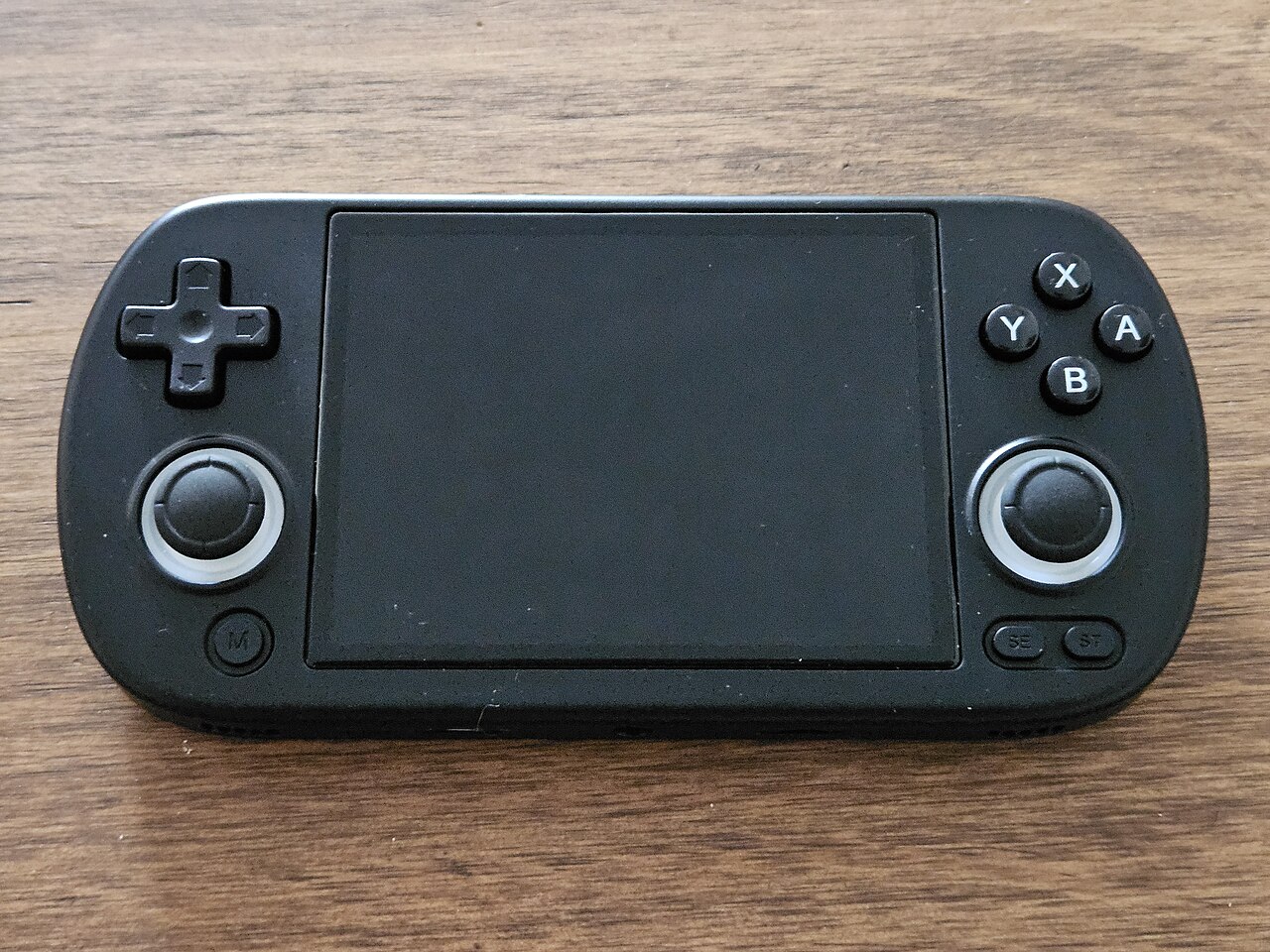
Anbernic RG40XX H
Vodorovná varianta se 4palcovým displejem a čipem H700 pro pohodlnější držení.
Anbernic RG40XX V
Svislá varianta ve tvaru připomínajícím klasický Game Boy, se stejným čipem jako model H.
Anbernic RG503
OLED displej, kovové tělo a čip RK3566 v klasickém tvaru herního ovladače.
Anbernic RG505
Tvar jako PS Vita, ale uvnitř skutečný Qualcomm Snapdragon 865 a AMOLED displej 960×544.
Anbernic RG556
Vlajková loď Anbernic s AMOLED displejem, čipem Unisoc T820 a duálním Android/Linux systémem.
TrimUI Brick
Vertikální handheld ve stylu Game Boye se stejnou elektronikou jako Smart Pro.
TrimUI Smart Pro
Malé tělo, velký 4,96" 16:9 displej a čip sdílený s TrimUI Brick.